Vulnerabilities
The Vulnerabilities area is your coordinated vulnerability disclosure (CVD) workspace.
The Vulnerabilities area is your coordinated vulnerability disclosure (CVD) workspace. It's where security weaknesses reported about your products or services are collected, triaged, and tracked all the way through to fix and disclosure. Reports submitted through your CVD portal — cvd.application.alxias.se — land here, and you can also log issues your own team discovers.
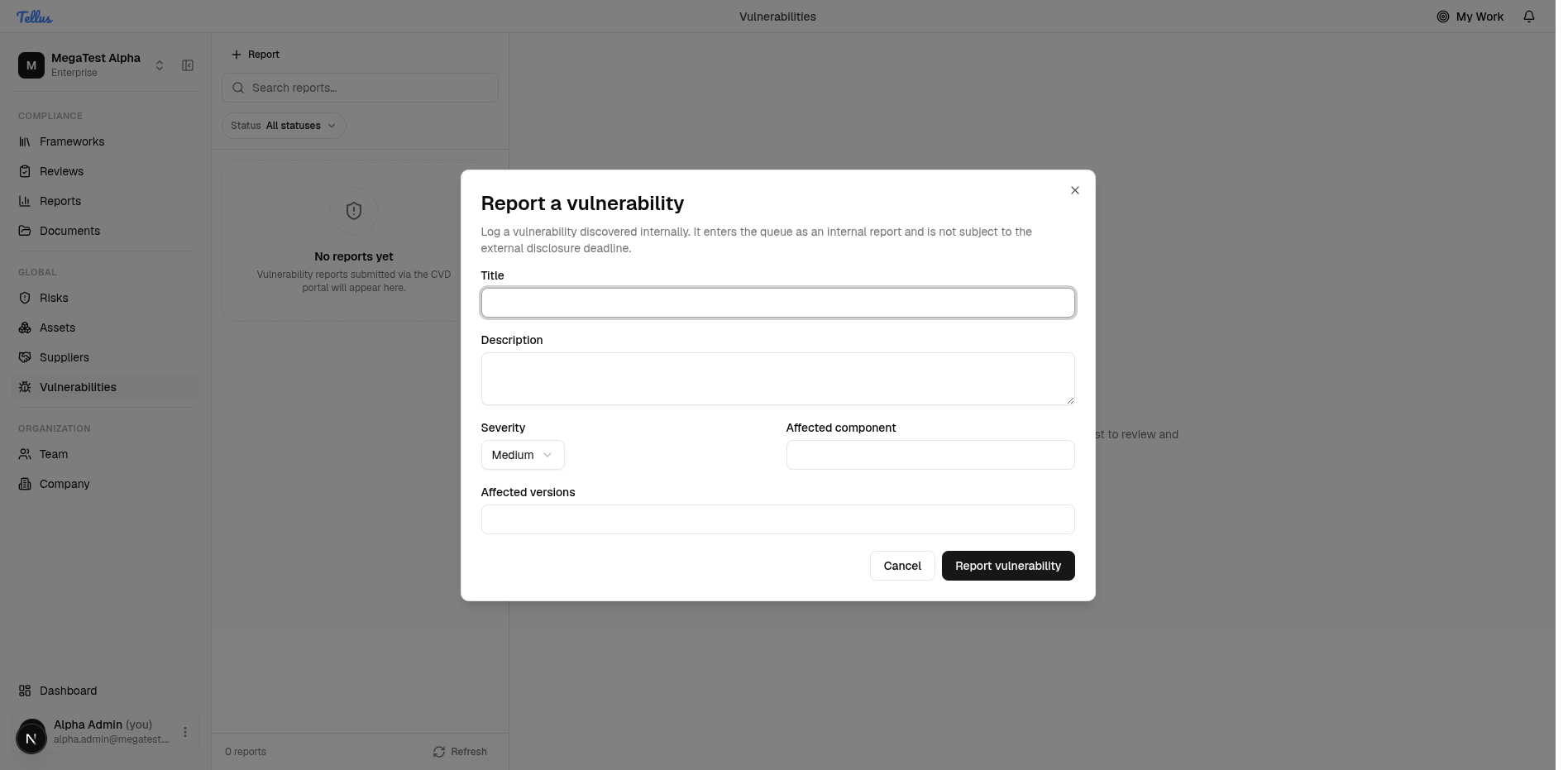
The page has two panes: a report list on the left and a detail pane on the right. When you have reports, you select one on the left to review and manage it on the right.
Tip: If your company hasn't received any reports yet, the list will be empty and the right pane will simply prompt you to "Select a report". That's normal — the list fills in as reports arrive.
Open the vulnerability register
- In the left sidebar, under the Global group, click Vulnerabilities.
- The register opens with the report list on the left and a "Select a report" prompt on the right.
- If your company has received reports, they appear in the left-hand list. Click any one to load its details on the right.
- If there are no reports yet, you'll see the empty-state message: "No reports yet — Vulnerability reports submitted via the CVD portal will appear here", along with a "0 reports" counter.
- Click Refresh at any time to pull in newly submitted reports.
Filter reports by status
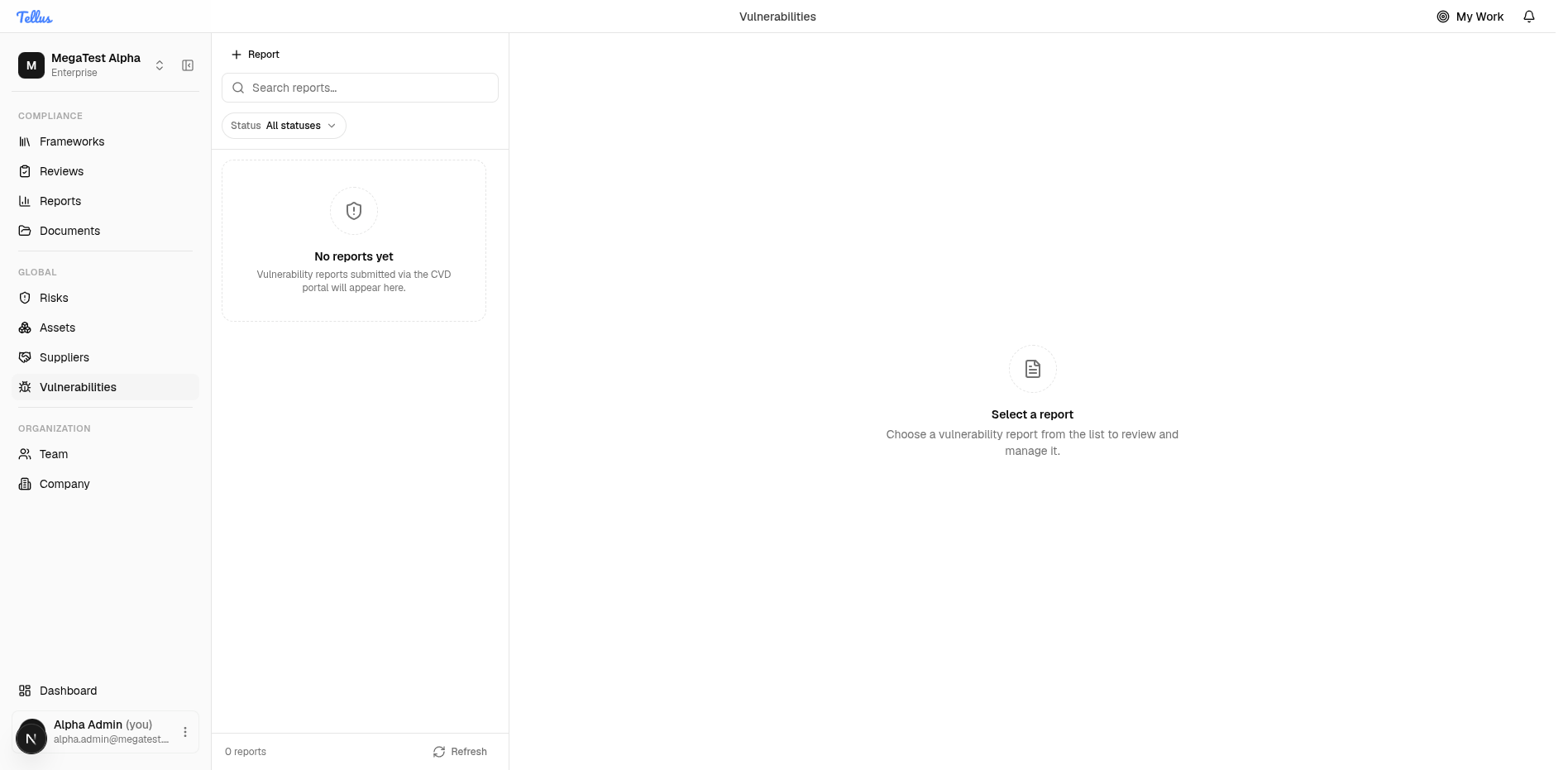
- Click the Status button at the top of the list pane to open the filter menu.
- Choose a stage to show only reports at that point in their lifecycle:
- All statuses (the default — shows everything)
- Received
- Triaged
- Fix in progress
- Fix shipped
- Disclosed
- Keep All statuses selected to see every report regardless of stage.
- To narrow the list by keyword, type in the Search reports… box.
Tip: Combine the status filter with the search box to quickly find, for example, a "Fix in progress" report on a specific component.
Log an internally discovered vulnerability
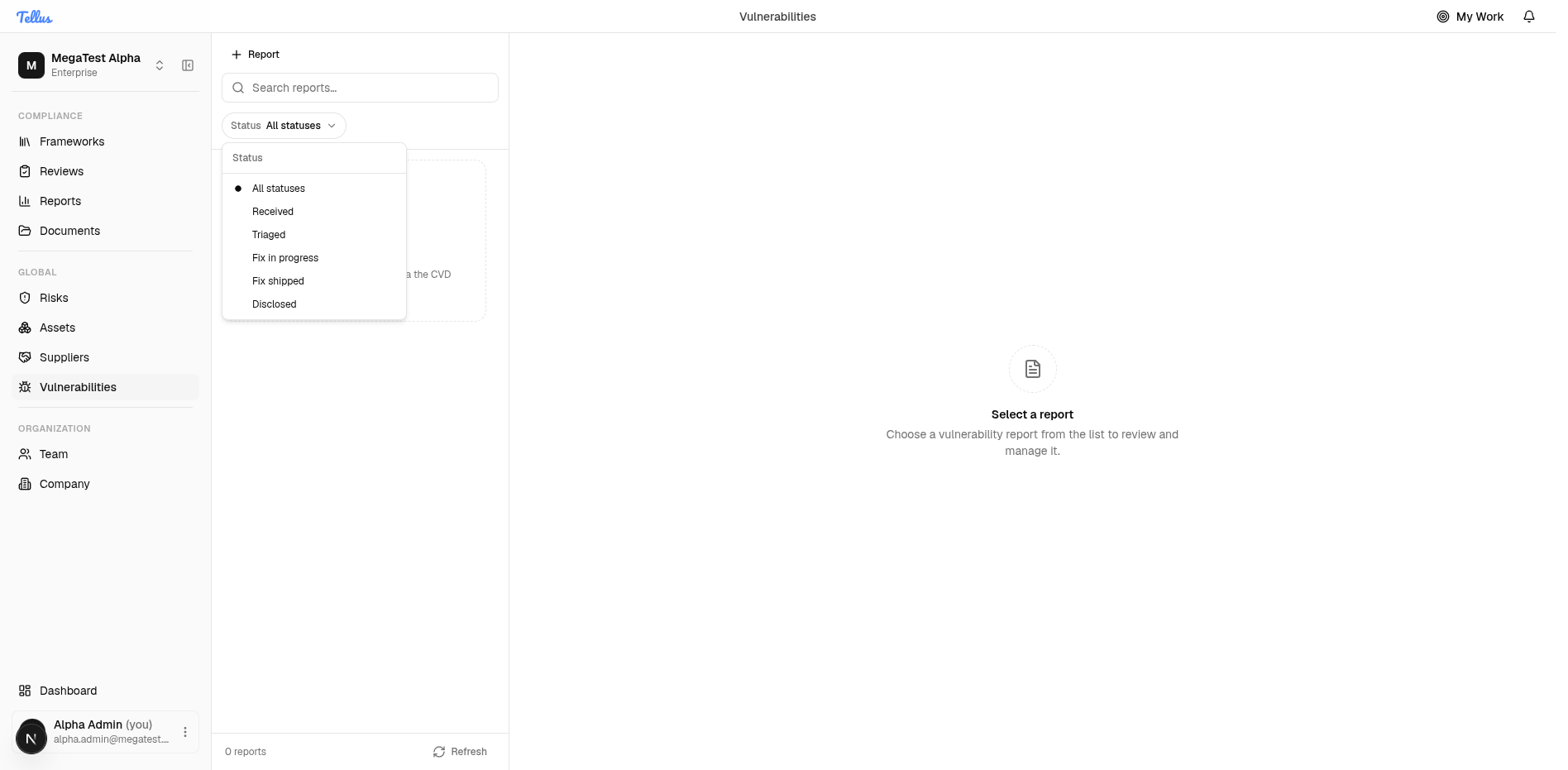
Use this when your own team finds a weakness rather than receiving it through the CVD portal. An internally discovered vulnerability enters the queue as an internal report and is not subject to the external disclosure deadline.
- Click the Report button at the top of the list pane to open the "Report a vulnerability" dialog.
- Enter a clear Title that names the issue.
- Write a Description explaining the weakness.
- Set the Severity (it defaults to Medium).
- Fill in the Affected component and Affected versions if you know them.
- Click Report vulnerability to add the entry to the queue, or Cancel to close without saving.
- The new entry then appears in the list, where you can triage and track it.